 UGTKengine within an engine
UGTK / Toolkit / Gameplay Systems / Visual Novel System In progress

Visual Novel System
Summary
The Visual Novel System is a complete, node-based framework for building story-driven games and interactive narratives inside Unity with minimal custom code.
Designers can author chapters, dialogues, choices, variables, checkpoints, movements, fades, events and timers directly in a dedicated graph editor, while programmers integrate the runtime managers with UI, audio and other UGTK or custom Framework.
The system supports branching flows, conditional logic, autoskip, checkpoints, chapter selection menus and save/load of player progress, making it suitable for full-length visual novels and story-heavy games.
Commercial-grade player features (2026-07): multi-slot saves with screenshot
thumbnails + quicksave/autosave (Mn_VNSaveManager), rollback ("back one line",
Mn_VN_GameManager.Back()), dialogue backlog/history with voice replay
(Mn_VNBacklog), read/unread line tracking with skip modes (VN_ReadLinesTracker,
SetSkipMode), player settings for text speed / auto-advance / auto-voice
(VN_Settings), per-line voice-over with auto-voice naming convention
(voiceKey / VO_{chapterId}_{blockId}), background crossfade transitions,
variable interpolation in text ({variableName}), CG gallery & unlockables
(VN_Unlockables, SO_VNGalleryDatabase), hide-UI screenshot mode.
AI game generation (unique on the market): Mn_VNClaudeStoryGenerator
generates ENTIRE playable visual novels via the Claude API (Anthropic) from
configurable fields (premise, genre, tone, language, chapters, cast). Structured
outputs guarantee valid JSON; block ids, graph wiring and editor layout are
generated by code — never by the model — so the imported graph is always
consistent. Characters and backgrounds get procedural placeholder art so the
generated game is playable immediately; the generated visualDescription fields
are ready-to-use prompts for final art. The API key is NEVER stored in assets
(PlayerPrefs / env var / runtime only). Claude does not generate bitmap images:
final art comes from your artist or an external image provider.
Content
Modules Dependencies
The Visual Novel System integrates with several UGTK modules:
- Required / strongly recommended UGTK modules:
Text Typer System(UGTK.UIModule.TextTyperSystem): typewriter text effects for dialogues, messages and titles.Audio System(UGTK.GameplaySystem.AudioSystem): used by VN sound blocks and typing SFX.Dictionary System(UGTK.Data.DictionarySystem): serialized dictionaries for global variables and custom events.-
Singleton(UGTK.DesignPattern.Singleton): base forMn_VN_GameManager. -
Optional but supported:
Pause System(UGTK.GameplaySystems.PauseSystem) viaIPausableonMn_VN_GameManager.Timer System(UGTK.UtilitySystems.TimerSystem) as shared timer for VN timer blocks.- Any UGTK UI modules and custom Framework triggered via VN event blocks.
Setup
- Create or assign a VN project asset
- Open the editor window with
UGTK/Visual Novel Editor. - In the top toolbar, assign an existing
SO_VNProjector click New Project... to create a new visual novel project. -
The editor will automatically create and link all required VN databases if they are missing.
-
Check databases in
SO_VNProject -
In the inspector of
SO_VNProjectmake sure the following fields are assigned:SO_VNChapterDatabaseSO_VNCharacterDatabaseSO_VNBackgroundDatabaseSO_VNDialogueDatabaseSO_VNChoiceDatabaseSO_VNConditionDatabaseSO_VNSetFlagDatabaseSO_VNModifyIntDatabaseSO_VNCheckpointDatabaseSO_VNMovementDatabaseSO_VNBackgroundBlockDatabaseSO_VNFadeOverlayDatabaseSO_VNEventDatabaseSO_VNTimerDatabaseSO_VNSoundDatabaseSO_VNTextBlockDatabaseSO_VNPortraitBlockDatabase
-
Create the UI in a scene
-
Add a
Canvaswith:- A background
Imagefor scene art. - Left and right portrait
Imagefor characters. - A TextMeshProUGUI for the speaker name (optionally inside a container
RectTransformwith left/right/center anchors). - TextMeshProUGUI fields for:
- Dialogue text (
Mn_TextTyperComponent– main text). - Optional message text (
Mn_TextTyperComponent– secondary text). - Optional title text (
Mn_TextTyperComponent– title). - A “Next” button for advancing dialogues.
- A root
GameObjectto host choice buttons for player choices.
- A background
-
Add the main manager
- Add
Mn_VN_GameManagerto the scene and assign:project: yourSO_VNProject.startChapterId: optional; if empty, the manager uses the first chapter byorder.- Character position transforms:
positionOffLeft,positionOffRight,positionLeft,positionRight,positionCenter. - UI references:
backgroundImage,fadeOverlayImage,leftPortrait,rightPortrait. - Name UI:
speakerNameText,speakerNameContainer,speakerNameLeftAnchor,speakerNameRightAnchor,speakerNameCenterAnchor. - Text typers:
dialogueTextTyper,messageTextTyper,titleTextTyper. - Choices:
choiceManager,choicesRoot. - Optional:
chapterSelectManager,nextReadyButton,sharedTimer,typingAudioUser.
-
Set
autoStarttrue if you want the VN to start automatically onOnEnable, or false if you will start it from code. -
Configure characters and backgrounds
- In the VN databases:
- Define characters (
S_VNCharacter) with ids, display names, portraits, base facing and name colors/fonts. - Define backgrounds (
S_VNBackground) with ids and sprites.
- Define characters (
-
In
SO_VNProject.variablesdefine bool and int VN variables used for branching and checkpoints. -
Switch to the graph view
- In
UGTK/Visual Novel Editor:- In Chapters mode, create chapters and set their ids, titles and
order. - Double?click a chapter to open its Chapter Graph, where you can create and connect all VN blocks.
- In Chapters mode, create chapters and set their ids, titles and
How To Use
Authoring chapters and blocks
- Create chapters
- In Chapters mode, add new chapters to the
SO_VNProject. -
For each chapter, set:
id: internal unique id (also used for checkpoints and save data).title: player?visible name in the chapter selection UI.order: numeric order used to decide which chapter is first and how progression works.
-
Build the chapter graph
- Double?click a chapter to open its graph.
- Use the left block toolbar to add:
- Dialogue blocks (
S_VNDialogueBlock) for spoken lines. - Choice blocks (
S_VNChoiceBlock) for branching options. - Condition blocks (
S_VNConditionBlock) for flag/int?based branching. - Set Flag / Modify Int blocks (
S_VNSetFlagBlock,S_VNModifyIntBlock) for changing VN variables. - Checkpoint blocks (
S_VNCheckpointBlock) for saving progress. - Movement blocks (
S_VNMovementBlock) for character movement between positions. - Background blocks (
S_VNBackgroundBlock) for changing background art. - Fade Overlay blocks (
S_VNFadeOverlayBlock) for fading overlay, background, characters or dialogue UI. - Event blocks (
S_VNEventBlock) for invoking custom UnityEvents. - Timer blocks (
S_VNTimerBlock) for timed waits. - Sound blocks (
S_VNSoundBlock) for playing/pausing/stopping sounds. - Text blocks (
S_VNTextBlock) for non?dialogue text in different UI targets. - Portrait blocks (
S_VNPortraitBlock) for controlling which portraits appear on left/right.
- Dialogue blocks (
- Connect each block’s
next(andnextIfTrue/nextIfFalse, choice options, etc.) to build the narrative flow. - Set the chapter’s
startNodeso the runtime knows where to begin.
Controlling the VN at runtime
Basic bootstrap:
using UGTK.Framework.VisualNovel;
using UnityEngine;

public class VNBootstrap : MonoBehaviour
{
    [SerializeField] private Mn_VN_GameManager vnManager;

    private void Start()
    {
        if (vnManager != null)
            vnManager.PlayFromFirstChapter();
    }

    public void PlaySpecificChapter(string chapterId)
    {
        if (vnManager != null)
            vnManager.PlayChapter(chapterId);
    }

    public void ContinueFromCheckpointOrFirst()
    {
        if (vnManager != null)
            vnManager.PlayFromCheckpointOrFirstChapter();
    }
}
Advancing dialogues with a button:
using UGTK.Framework.VisualNovel;
using UnityEngine;

public class VNNextButton : MonoBehaviour
{
    [SerializeField] private Mn_VN_GameManager vnManager;

    public void OnClickNext()
    {
        if (vnManager != null)
            vnManager.Next();
    }
}
Working with VN variables from code
using UGTK.Framework.VisualNovel;
using UnityEngine;

public class VNVariablesExample : MonoBehaviour
{
    [SerializeField] private Mn_VN_GameManager vnManager;

    public void GrantSecretPath()
    {
        if (vnManager == null) return;

        vnManager.SetFlag("UnlockedSecretPath", true);
        vnManager.AddToInt("AffinityPoints", 5);
    }

    public bool HasUnlockedSecretPath()
    {
        return vnManager != null && vnManager.GetFlag("UnlockedSecretPath");
    }
}
Checkpoints and saves
- Use Checkpoint blocks in the graph to store the current chapter and node in
PlayerPrefs, and snapshot int variables for that chapter. - Control saves from code if needed:
using UGTK.Framework.VisualNovel;
using UnityEngine;

public class VNSaveMenu : MonoBehaviour
{
    [SerializeField] private Mn_VN_GameManager vnManager;

    public void RestartFromCheckpoint(string checkpointIdOrName)
    {
        if (vnManager != null)
            vnManager.RestartFromCheckpoint(checkpointIdOrName);
    }

    public void DeleteCheckpointOnly()
    {
        if (vnManager != null)
            vnManager.DeleteCheckpointSave();
    }

    public void DeleteAllVNData()
    {
        if (vnManager != null)
            vnManager.DeleteSaveData();
    }
}
Testing Scene
A typical test setup can include the following demo scenes:
- Basic flow
- A scene with:
Mn_VN_GameManagerwired to:- A background image.
- Left/right portraits.
- A dialogue TextMeshProUGUI +
Mn_TextTyperComponent. - A “Next” button.
- A
SO_VNProjectwith: - One chapter.
- A few characters and backgrounds.
- A linear sequence of dialogue, background and portrait blocks.
-
Goal: verify basic text typing, speaker name placement and next?button behaviour.
-
Branching and checkpoints
- A scene that:
- Uses choice blocks, condition blocks, SetFlag/ModifyInt blocks.
- Uses checkpoint blocks and the
PlayFromCheckpointOrFirstChapter()API. - Provides a small chapter select menu via
ShowChapterSelectMenu()andMn_ChapterSelectManager.
-
Goal: test branching logic, save/load and chapter completion.
-
Advanced integration
- A scene demonstrating:
- Movement blocks moving characters between positions.
- Fade overlay blocks affecting background, characters and dialogue UI.
- Timer blocks for timed events.
- Sound blocks playing BGM and SFX through the UGTK Audio System.
- Event blocks triggering external gameplay, UI transitions or analytics.
You can optionally document these scenes by adding GIFs/screenshots hosted in your repository.
Technical Info
The Visual Novel System is composed of several main parts:
- Runtime managers
Mn_VN_GameManager:- High?level singleton gameplay manager.
- Handles chapters, progression, dialogue and text blocks, choices, variables, checkpoints, autoskip, typing SFX, events and integration with save data.
- Uses
S_VNNodeRefto route between block types.
-
Mn_VNRuntimeManager:- Lightweight runtime bridge focusing on project validation, cache building and basic dialogue/choice/condition/flag/int flow, using
Mn_TextTyperComponentandMn_VNChoicePanel.
- Lightweight runtime bridge focusing on project validation, cache building and basic dialogue/choice/condition/flag/int flow, using
-
Project and databases
SO_VNProject:- Root ScriptableObject for a visual novel project.
- Holds references to all VN databases, variable definitions, editor customization data and metadata.
-
Databases (
SO_VN*Database):SO_VNChapterDatabase,SO_VNCharacterDatabase,SO_VNBackgroundDatabase,SO_VNDialogueDatabase,SO_VNChoiceDatabase,SO_VNConditionDatabase,SO_VNSetFlagDatabase,SO_VNModifyIntDatabase,SO_VNCheckpointDatabase,SO_VNMovementDatabase,SO_VNBackgroundBlockDatabase,SO_VNFadeOverlayDatabase,SO_VNEventDatabase,SO_VNTimerDatabase,SO_VNSoundDatabase,SO_VNTextBlockDatabase,SO_VNPortraitBlockDatabase.
-
Blocks and structs
S_VNDialogueBlock: single dialogue line with speaker id, text, optional timing settings and anextnode.S_VNChoiceBlock+S_VNChoiceOption: branching options with text, optional flag requirements and per?optionnext.S_VNConditionBlock: conditional branching based on flags or int variables (E_VNConditionOperator).S_VNSetFlagBlock,S_VNModifyIntBlock: change VN variables and jump tonext.S_VNCheckpointBlock: checkpoint data with chapter id, name andnextnode; integrates withPlayerPrefs.S_VNMovementBlock: character movement between positions with duration, facing and execution mode.S_VNBackgroundBlock: background change by id.S_VNFadeOverlayBlock: fade overlays, background, characters or dialogue UI depending onE_VNFadeTarget.S_VNEventBlock: trigger named UnityEvents from thecustomEventsdictionary.S_VNTimerBlock: wait for a duration then jump tonext.S_VNSoundBlock: play/pause/stop sounds viaMn_AudioManager, optionally waiting for completion.S_VNTextBlock: display non?dialogue text on a chosen target using the appropriate text typer.-
S_VNPortraitBlock: control which characters appear in the left/right portrait slots and their facing. -
Enums
E_VNBlockType: dialogue, choice, condition, set flag, modify int, checkpoint, movement, background, fade overlay, event, timer, sound, text, portrait.E_VNCharacterPosition: OffLeft, OffRight, Left, Right, Center.E_VNSpeakerPosition: None, Left, Right, Center.E_VNTextDisplayTarget: background, dialogue box, title, etc.E_VNSoundAction: play, pause, stop.E_VNExecutionMode: wait for completion, fire and continue.-
E_VNCharacterFacing,E_VNConditionOperator,E_VNVariableType,E_VNFadeTarget: various behaviour flags used by movement, conditions, variables and fade blocks. -
Editor tooling
VN_GraphEditorWindow:- Main editor window (
UGTK/Visual Novel Editor) with two modes: Chapters view and Chapter Graph view. - Hosts the
VN_GraphView,VN_SelectionInspector, floating center/start/follow buttons, undo/redo and a block toolbar with per?kind colors. - Can create a full project with all databases, clear project data or delete entire projects.
- Listens to runtime events to highlight the active node and optionally auto?follow during Play mode.
- Main editor window (
VN_GraphView+VN_*NodeView:- Visual graph and node representations for all VN block types and chapters.
VN_SelectionInspector:- Inspector side panel to edit the selected VN entity from the graph.
VN_EditorUtil,SO_VNProject.E_VNEditorBlockKind,VN_CommandHistory:- Utilities for asset creation, editor colors and undo/redo.
© 2026 Marcello De Bonis. All rights reserved
Depends on 10
Used by 0
- No other module depends on it.
Measured from the repository: code references (asmdef) plus prefab and asset GUIDs. Importing this module alone brings in 22 modules in total.
More in Gameplay Systems.
all 18 →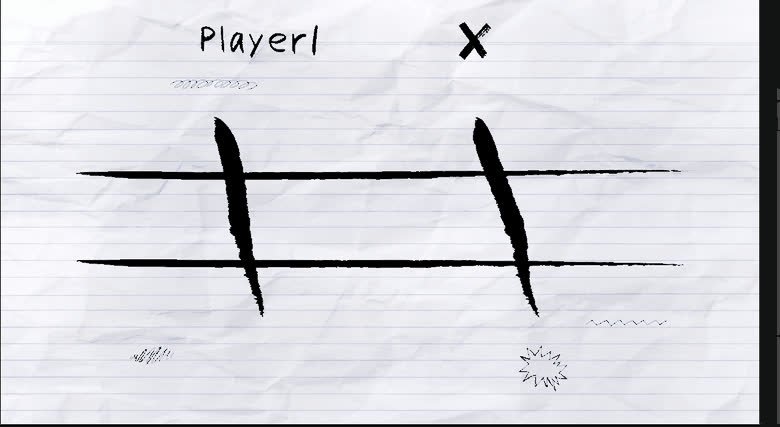
Tris System
Tic-tac-toe in four variants — classic, matriosca, sliding and inception — with an AI opponent whose difficulty is selectable.
Completed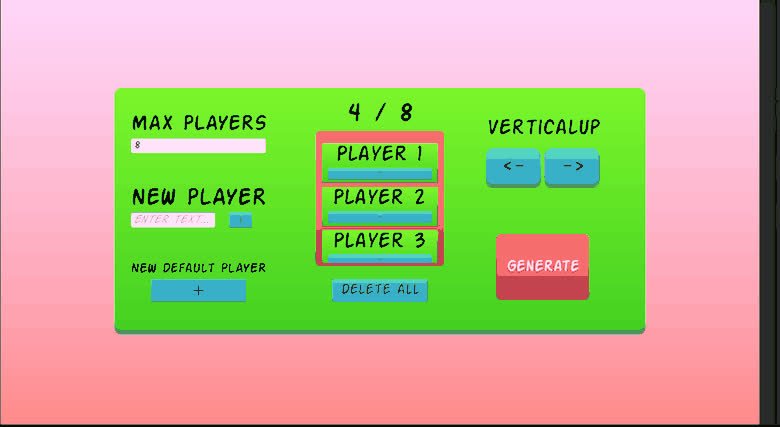
Tournament System
Tournament framework for managing brackets, users and match progression.
Completed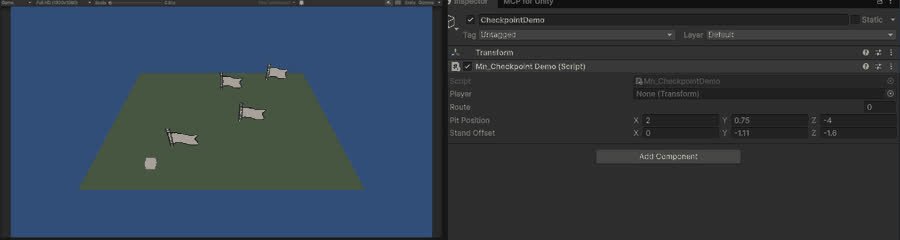
Checkpoint System
Save points that remember where the player was, and restore them after a death.
Completed
First Person 3D
First-person character controller: movement, look, jump and ground handling, driven from UI or keys.
Completed