 UGTKengine within an engine
UGTK / Toolkit / Gameplay Systems / QR Multiplayer System Completed

Qr Multiplayer System
Summary
The Qr Multiplayer System turns any smartphone into a game controller: the host (desktop/totem/WebGL) opens a WebSocket match and shows one QR code per player; when a player scans a QR, the phone opens the WebGL client page and automatically joins the match as that player.
Content
Modules Dependencies
UGTK.Api.WebSocketsSystem(Mn_Host,Mn_Client,SO_SocketInfo)UGTK.UIModule.QrGenerator(Mn_QrFlowShortLink,Mn_QrLinkBuilder, PHP short link)UGTK.UtilitySystems.WebParamSystem(Mn_WebParam, client side)UGTK.UtilitySystems.PoolingSystem,UGTK.DesignPattern.Singleton,UGTK.UIModule.ElementCyclerSystem
Carried inside the prefabs. These modules are not referenced by the assembly definition - the components are simply already attached to the prefabs this module ships. Remove one of them from the project and the prefab keeps its layout and loses that behaviour, with nothing in the console to say so.
| Module | Component, and the prefab carrying it |
|---|---|
UIModule/TextUpdaterSystem |
Mn_TextUpdater (in GamePlayerUiInfo), Mn_TextUpdater (in StartingPlayerUiInfo) |
Only in the demo scene. The Debug scene of this module also uses UIModule/GradientSystem.
Nothing in the runtime code needs it: import this module on its own and it works, but
the demo scene opens with a missing script where that component was.
How It Works
Host flow
Mn_LobbyPlayerSessionManagerdecides the number of players (min/max,Confirm()→OnPlayerNumberDecided(n)).- That event connects
Mn_Host(which sendshost.init_match) and callsMn_QrCodeManager.GenerateQrs(n). - For each player
i = 1..na pooledPlayerQrElementbuilds the URLclientBaseUrl?m_id=<matchId>&p_id=<i>, shortens it via PHP (qr/create_short_link.php) and renders the QR (local ZXing). Mn_Host.OnPlayerJoin→ lobby UI (Mn_StartingPlayerUiInfo), QR hidden (Mn_QrCodeManager.OnPlayerConnected), gameplay spawn (Mn_GameplayPlayerManager.OnNewPlayerJoined).Mn_Host.OnPlayerMessage→Mn_HostMessageReceiver: handlesnickname,character,confirm(ready check →OnAllPlayersReady); any other subEvent is forwarded to theMn_PlayerInstance.ReceiveInfosoverride of your game.
Client flow (WebGL page opened by the QR)
Mn_WebParamreads the URL:m_id→Mn_Client.ChangeMatchId,p_id→Mn_Client.ChangePlayerId, thenonReadComplete→Mn_Client.Connect()(sendsplayer.join_match).Mn_ClientSendersends lobby info:ChangeNickname,ChangeCharacter,ConfirmSend.- During gameplay use
Mn_Client.SendPlayerGenericInfo(subEvent, value)(player → host) and listen toOnHostToPlayer/OnBroadcastToPlayer(host → player).
Setup
The system comes as two scenes, because host and player are two different builds of two different things:
HostSceneruns on the screen everyone looks at — the TV, the projector, the arcade cabinet. It generates one QR per seat and shows the lobby.ClientSceneis what a player's phone opens after scanning. It is normally exported as a WebGL build and served from a URL.
Both need the WebSockets module pointed at the same server, and the host needs its match id to match what the QR encodes — that pairing is the whole contract, and it is the first thing to check when a phone scans a code and nothing happens.
VirtualPlayerInstance, GamePlayerUiInfo and StartingPlayerUiInfo are the prefabs the lobby
instantiates per connected player; PlayerQrElement is the QR tile itself.
How To Use
- Host scene: place
Mn_Host(+SO_SocketInfo),Mn_QrCodeManager(pool ofPlayerQrElement),Mn_LobbyPlayerSessionManager,Mn_HostMessageReceiver,Mn_GameplayPlayerManager; wire the events as in the debugHostScene. - On the QR prefab set the flow
baseUrlto your published WebGL client page. - Client scene: place
Mn_Client(+ sameSO_SocketInfo),Mn_WebParamwith them_id/p_idbindings, and yourMn_ClientSender-derived sender. Build as WebGL and publish it at thebaseUrlabove. - In your game, derive from
Mn_PlayerInstance(host) andMn_ClientSender(client) and define your own subEvent constants, identical on both sides.
Note: in this system player ids are numeric (1..N, one per QR); Mn_HostMessageReceiver does int.Parse on them.
Testing Scene
Debug/HostScene.unity— the full host loop, and the recording above is its first half: pick how many players with the arrows, press Confirm, and the host draws one QR per seat. Each code carries the match id and that seat's player id, which is the whole handshake - a phone that scans Player 2's code becomes Player 2 and nobody else.Debug/ClientScene.unity— WebGL client; in Editor simulate the scan viaMn_WebParam.editorTestUrl(e.g....client/?m_id=XXXX&p_id=1).- Automated bots:
Assets/UGTK/Tests(EditMode contract tests + PlayMode bots joining a real match).
The codes in the recording belong to a match created while it was being made, so they are long expired: scanning them gets you nothing. Run the scene yourself and the ones you get will be live.
Technical Info
Scripts:
- Mn_QrCodeManager: waits for the host socket, generates one QR per player (
m_id/p_id), hides/shows QRs on join/leave. - Mn_LobbyPlayerSessionManager (file
Mn_PlayerSessionManager.cs): player count, lobby UI spawn, ready check. - Mn_HostMessageReceiver: routes player messages by subEvent (
nickname/character/confirm/custom). - Mn_GameplayPlayerManager: spawns
Mn_GamePlayerUiInfo+Mn_PlayerInstanceper player, forwards custom messages. - Mn_PlayerInstance: per-player logic on the host (score, character, nickname); override
ReceiveInfos. - Mn_ClientSender: client-side sender for
nickname/character/confirm; derive it for game-specific messages.
© 2026 Marcello De Bonis. All rights reserved
Depends on 12
Used by 1
Measured from the repository: code references (asmdef) plus prefab and asset GUIDs. Importing this module alone brings in 23 modules in total.
More in Gameplay Systems.
all 18 →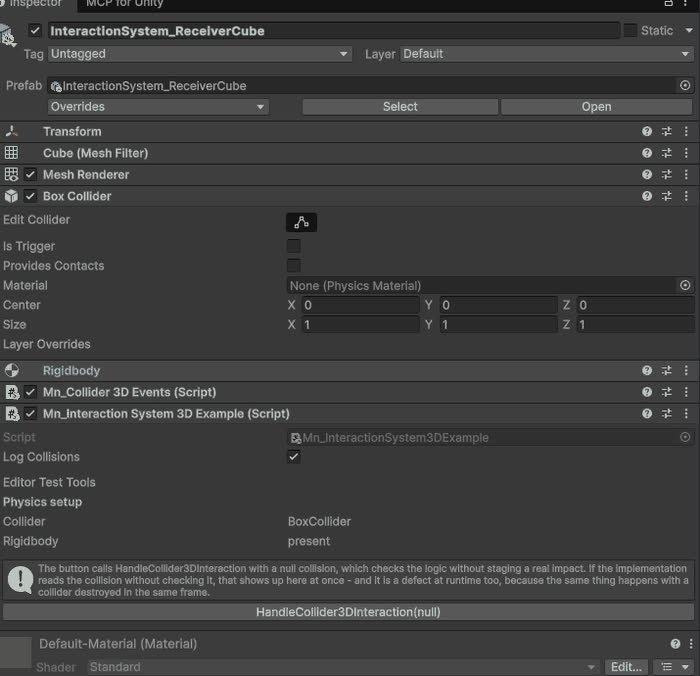
Interaction System
Base for objects that react to a 3D collision, with the physics setup checked in the inspector.
Completed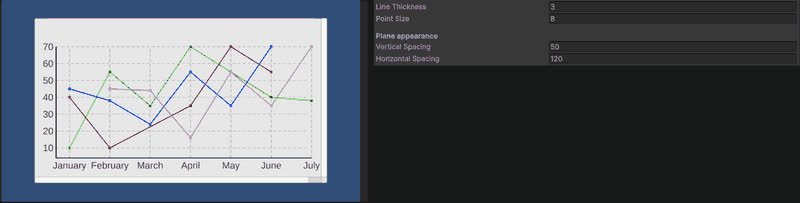
Line Chart (3D)
Line chart rendered in the world rather than on a canvas.
Completed
Audio System
Comprehensive audio management for playback control and volume adjustment.
Completed
Pause System
Manages the pause and resume of the game, allowing to pause the game and resume it at any time.
Completed