 UGTKengine within an engine
UGTK / Systems / Ui Module / Slider System Completed

Slider System
Summary
The Slider System manages to change the value of the slider with animation (so the value does not change instantly).
Content
Modules Dependencies
- TextMeshPro: used by the prefabs that show the value as text.
Everything else is Unity UI. Three prefabs ship with the module: Slider (the plain one),
CircularSlider (a radial fill) and CircularTimerSlider (a radial fill driven by time).
Setup
- Add
Mn_SliderControllerto a GameObject that already has aSlider, or start from one of the three prefabs. - Assign the Slider reference and choose the Update Mode.
How To Use
sliderController.UpdateSliderToValue(0.75f);
The bar then travels to the new value instead of snapping to it, and raises
onStartSliderValueChanged when it sets off and onEndSliderValueChanged when it arrives.
Update Mode is the choice that matters, and the two options behave differently in a way that only shows up with real data:
| Mode | Meaning | Behaves like |
|---|---|---|
Speed |
units per second | a fixed rate: a large change takes proportionally longer |
Time |
seconds for the whole trip | a fixed duration: every change takes totalTime, whatever its size |
For a health bar, Speed is usually right — a big hit should visibly take longer to drain than a
scratch. For a loading bar with a known duration, Time is right.
Things worth knowing:
instantSetModeturns the animation off entirely. Use it when restoring a saved game, where a bar that animates from zero to its stored value looks like something is happening.- Calling
UpdateSliderToValueagain mid-travel retargets the bar from wherever it currently is, so rapid consecutive hits do not queue up — they just move the destination. onEndSliderValueChangedfires when the bar reaches its target, not when the underlying value changed. A death screen hung off it appears after the bar finishes emptying, which is usually the effect you want but is worth being deliberate about.- The controller writes the slider's
valuedirectly, so anything else writing to the same slider in the same frame will fight it.
Testing Scene
Technical Info
| Path | Content |
|---|---|
Scripts/Runtime/Mn_SliderController.cs |
The component: UpdateSliderToValue, the minValue/maxValue/currentValue properties and the two travel events |
Scripts/Runtime/E_UpdateMode.cs |
The two modes, Speed and Time |
Scripts/Editor/Mn_SliderControllerEditor.cs |
Inspector: shows only the field the chosen mode uses, so an irrelevant speed is not left looking meaningful |
Prefabs/Slider.prefab |
Plain horizontal bar |
Prefabs/CircularSlider.prefab |
Radial fill |
Prefabs/CircularTimerSlider.prefab |
Radial fill driven by time |
© 2026 Marcello De Bonis. All rights reserved
More in Ui Module.
all 34 →
Dashboard System
Modular dashboard UI for displaying tables, KPIs and widgets bound to data sources.
Completed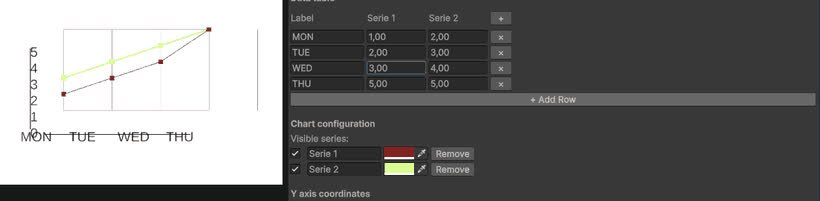
Line Chart System
Configurable line chart component for plotting values over time or categories.
Completed
Text Updater System
TextUpdaterSystem dynamically updates Unity UI text with TextMeshPro, reflecting real-time variable values from MonoBehaviour components.
Completed
TMP Line Balancer
Utility for enforcing hard line breaks and balanced lines in TextMeshPro text.
Completed