 UGTKengine within an engine
UGTK / Systems / Component Module / Shooting System Completed

Shooting System
Summary
The Shooting System is a comprehensive solution for managing shooting mechanics in games. It provides control over shooting actions, including handling ammunition, reloading, and projectile management. The system uses pooling to manage projectile spawning efficiently, ensuring optimal performance.
Content
Modules Dependencies
The Shooting System module requires the following dependencies:
- GenericComponent: Manages the creation and destruction of projectiles for efficient performance.
- DamageSystem: Manages game object damage, healing, vulnerability, and event management.
- PoolingSystem: Manages the creation and destruction of projectiles for efficient performance.
- MovementComponent: Components for controlling object movement: speed, direction, bounds, and coordinate limits.
- CollisionSystem: Manages 2D/3D collisions and detects mouse and touch interactions with customizable behavior.
Ensure that this dependency is correctly imported and configured in your project.
Setup
- Add
ShooterComponentto your shooter object:
- Setup
ShooterComponentinfo:
- Setup
MunitionsComponentinfo:
How To Use
To use the Shooting System, use the following methods, called by code:
- Shoot Single Projectile::
  Vector3 direction = new Vector3(x, y, z);
  Mn_ShooterComponent.ShootSingleProjectile(direction, ignoreShootTimer);
- Shoot Multiple Projectiles:
  List<Vector3> directions = new List<Vector3> { direction1, direction2, ... };
  Mn_ShooterComponent.ShootMultipleProjectiles(directions);
- Enable Shooting:
Mn_ShooterComponent.AbleShoot();
- Disable Shooting:
Mn_ShooterComponent.DisableShoot();
- Add Munitions:
Mn_MunitionsComponent.AddMunitions(int munitions);
- Set Infinite Munitions:
Mn_MunitionsComponent.SetInfiniteMunitions(bool infinite);
- Set Maximum Munitions:
Mn_MunitionsComponent.SetMaxMunitions(int max);
- Recharge Munitions:
Mn_MunitionsComponent.Recharge();
Testing Scene
Open ShootingScene in the module's Scene/ folder. It holds a 2D shooter on the Canvas
and a 3D one in the world; the demo camera frames the 2D pair.
What to do, in order:
- Enter Play Mode, select
ShooterComponentand use Shoot (Configured Direction) in Runtime Tools. The magazine count above the buttons goes down by one per shot. - Shoot until the magazine empties, then keep shooting. That is where
onShootFailfires, which is what a reload prompt hangs off. Recharge Munitions fills it again. - Use Shoot Multiple Projectiles, then compare with holding automatic shooting on.
- Detach the munitions component and shoot.
Step 4 shows the other branch: with no munitions component assigned the shooter fires forever, which is either exactly what you want for an enemy or a bug you will not notice for weeks.
On running out. A shot that finds no projectile in the pool is now a failed shot: it raises
onShootFail and spends no ammunition. It used to raise onShootSuccess and take a round
anyway, so the magazine emptied while nothing left the barrel. If you size the pool below the
magazine, that is the behaviour you will meet.
Technical Info
Scripts:
- Mn_ShooterComponent: Manages shooting actions, including handling ammunition and projectile spawning.
- ShootingEvents: Static class for shooting-related events.
- Mn_BaseProjectile: Represents a simple projectile with a lifecycle, including automatic deactivation.
- Mn_MunitionsComponent: Manages ammunition for a shooter.
- Mn_ShooterComponentEditor: Custom editor for
Mn_ShooterComponent, adds buttons to trigger shooting actions in the Inspector.
© 2026 Marcello De Bonis. All rights reserved
More in Component Module.
all 16 →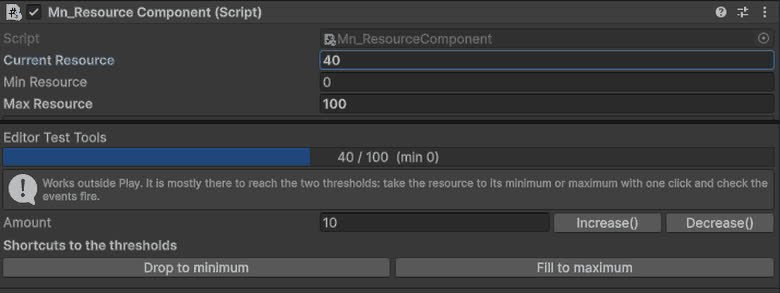
Resource Component
Component for managing object resources such as health, energy, mana or custom values, with support for runtime updates, limits and system integrations.
Completed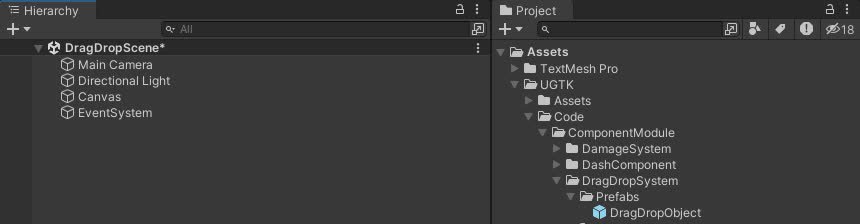
DragDrop System
Drag and Drop System for UI uses a state machine for smooth interactions and includes drag events, state transitions, and pooling.
Completed
Snap Component
The Snap Component System snaps the object to the last collided object upon TriggerSnap, using specific tag collisions.
Completed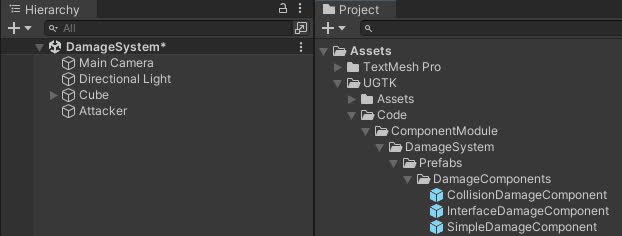
Damage System
The Damage System manages game object damage, offering advanced functions for applying damage, healing, controlling vulnerability, and event management.
Completed