 UGTKengine within an engine
UGTK / Systems / Utility Systems / Input Compatibility Completed

Input Compatibility (UGTKInput)
Summary
UGTKInput is a drop-in replacement for UnityEngine.Input that lets every UGTK system work with
both the legacy Input Manager and the new Input System package, whatever the consumer project
sets in Active Input Handling. Reading UnityEngine.Input while the project is set to
"Input System Package (New)" throws InvalidOperationException at runtime and silently aborts the
handler that was running — this module removes that failure mode.
Content
Modules Dependencies
Requires the com.unity.inputsystem package (declared in the UGTK package.json). No other UGTK
dependency: this module is the lowest layer and is referenced by the systems that read input.
Setup
No setup required. Add UGTK.UtilitySystems.InputCompat to your assembly definition references and
using UGTK.UtilitySystems.InputCompat; to your script.
The setting this module exists for lives in Edit ▸ Project Settings ▸ Player ▸ Other Settings ▸ Configuration ▸ Active Input Handling. Whatever you pick there — Input Manager (Old), Input System Package (New) or Both — the UGTK systems keep working.
This module has no scene, no prefab and no inspector: it is a static facade, so there is nothing to show in a GIF. Changing Active Input Handling makes Unity restart the editor — check it, don't flip it mid-session unless you mean to.
How To Use
The API mirrors UnityEngine.Input member by member, so migrating a call site is just swapping the
prefix:
using UGTK.UtilitySystems.InputCompat;

Vector3 p     = UGTKInput.mousePosition;
Vector2 wheel = UGTKInput.mouseScrollDelta;

if (UGTKInput.GetMouseButtonDown(0)) { /* ... */ }
if (UGTKInput.GetKeyDown(KeyCode.Space)) { /* ... */ }

float h = UGTKInput.GetAxis("Horizontal");
if (UGTKInput.GetButtonDown("Jump")) { /* ... */ }

if (UGTKInput.touchCount > 0)
{
    UGTKTouch touch = UGTKInput.GetTouch(0);   // position / deltaPosition / phase / fingerId
}
Behaviour: when the legacy Input Manager is enabled (Active Input Handling Old or Both) the calls
go straight to UnityEngine.Input, so semantics — including project-defined axes and buttons — are
unchanged. Only when the legacy manager is disabled are the calls mapped onto the new Input System.
Notes on the new-Input-System path:
- mouseScrollDelta is normalised (the new system reports 120 per notch, legacy reports 1).
- GetAxis/GetAxisRaw synthesise the conventional axes (Horizontal, Vertical, Mouse X,
Mouse Y, Mouse ScrollWheel) from keyboard/gamepad/mouse, because the new system has no
project-wide axes. Custom axis names return 0 — use Input Actions for those.
- GetButton* maps the conventional names (Jump, Fire1, Fire2, Fire3, Submit, Cancel).
- mousePosition falls back to the primary touch when there is no mouse.
Testing Scene
Open Debug/InputCompatScene.unity. It holds one object, InputCompatTest, carrying
Mn_InputCompatTest. Unlike most of the debug components in UGTK this one needs Play Mode:
it samples the input every frame, so there is nothing to read with the editor stopped.
Press Play, click once inside the Game view so it takes the keyboard, and watch the Output field:
- The first two lines answer the question the module exists for — which backend is actually live.
Classic Input Manager: availableandNew Input System: compiled inare read independently: a project can have both, one, or neither, and a build that has neither is a build where nothing reads input at all. - Hold Space.
Space: GetKey ON Downappears for the frame of the press, then onlyGetKey ONwhile it is held, andUpon the frame you let go. The virtual buttonJumpturns ON with it, because the default Input Manager maps Space to Jump. - Hold D.
axis 'Horizontal'climbs to 1,(raw 1)alongside it, and drops back to 0 on release. Change Axis Name or Button Name to any axis of your own project and the same line reports it.
The point of the scene is that every line comes through UGTKInput, never through Input or
Keyboard.current directly. What the component prints is exactly what your game would read on
whichever backend the project happens to be built with.
Technical Info
- UGTKInput: static facade mirroring
UnityEngine.Input(mouse, keyboard, axes/buttons, touch). Compiles the legacy path underENABLE_LEGACY_INPUT_MANAGERand the new-system path underENABLE_INPUT_SYSTEM, including aKeyCode→Keymapping. - UGTKTouch: input-system-agnostic touch struct (
fingerId,position,deltaPosition,phase).
Systems migrated onto this layer: KeyboardSystem, PauseSystem, GestureSystem (desktop + mobile), MotionSystem, FollowSystem (mouse/touch), FirstPerson3D, TournamentSystem (canvas zoomer), KeyInputActionSystem.
© 2026 Marcello De Bonis. All rights reserved
More in Utility Systems.
all 34 →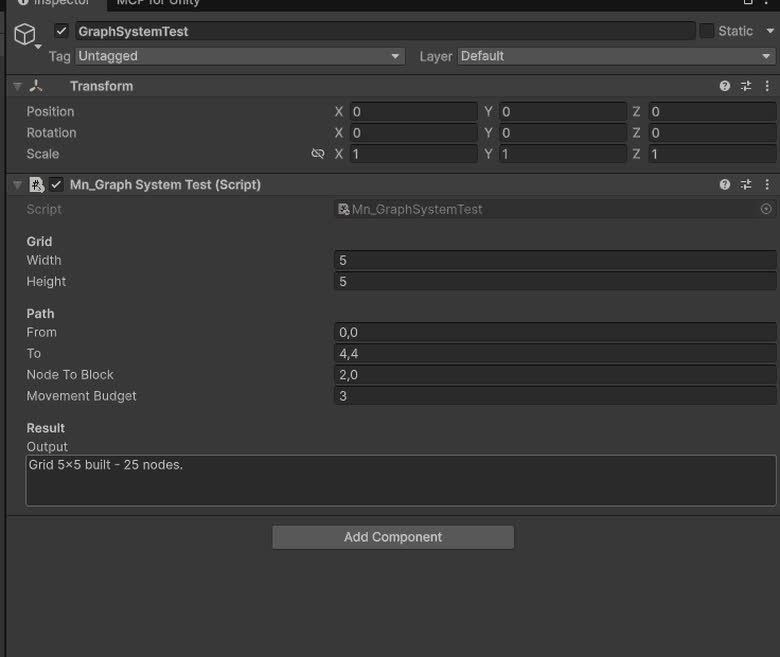
Graph System
Generic graph data-structure with nodes, edges, traversal (BFS/DFS) and pathfinding algorithms like Dijkstra and A*.
Completed
VFX System
Pooling-based VFX spawner that plays particle and VFX Graph effects once, looping or at intervals, with auto-return and editor-friendly events.
Completed
UGTK Instantiator
Editor utility that adds ready-to-use UGTK prefabs to the scene via the `GameObject/UGTK` menu for fast system and component setup.
Completed
Counter System
Generic counting utility for timers, scores or any incremental values with events on thresholds.
Completed