 UGTKengine within an engine
UGTK / Systems / Ui Module / Message System Completed

Message System
Summary
A chat/messaging UI system: Mn_ChatManager (a singleton) loads conversations and adds "my" (right) and "friend" (left) message bubbles, while Mn_ChatBuilder builds each bubble from pooled prefabs, splitting long text across single/double/multi cloud sections. A Server/ layer talks to a PHP backend for login/register, fetching conversations, new-message polling and read receipts.
Content
Modules Dependencies
UGTK.DesignPattern.Singleton—Mn_ChatManagerderives fromMn_Singleton<T>.UGTK.UIModule.LayoutAutoResize—Mn_VerticalAutoResizehosts and vertically resizes the message list.UGTK.UtilitySystems.TimeOnlineSystem—S_TimeAPIResponseprovides the "sent at" timestamp.UGTK.UtilitySystems.PoolingSystem—Mn_Poolerrecycles bubble prefabs.UnityGamesToolkit.RuntimeandUnity.Newtonsoft.Json— core runtime and JSON for the server layer.
Carried inside the prefabs. These modules are not referenced by the assembly definition - the components are simply already attached to the prefabs this module ships. Remove one of them from the project and the prefab keeps its layout and loses that behaviour, with nothing in the console to say so.
| Module | Component, and the prefab carrying it |
|---|---|
UIModule/TextUpdaterSystem |
Mn_TextUpdater (in Time), Mn_TextUpdater (in User) |
Only in the demo scene. The Debug scene of this module also uses GameplaySystems/LoadingSystem, Minigames/TrisSystem, UtilitySystems/ActivationSystem.
Nothing in the runtime code needs them: import this module on its own and it works, but
the demo scene opens with missing scripts where those components were.
Setup
Drop the User prefab into the scene — the chat prefabs live under Prefabs/Messages and
Prefabs/Times:
How To Use
- Assign the
SO_Userasset plus the right/leftMn_ChatBuilder, theMn_VerticalAutoResizechat container and the "read" visibility sprite onMn_ChatManager. - Call
LoadConversation(S_ChatData)to populate a chat; the manager picks which side is "me" by matchingSO_User.userNameagainstperson1/person2. - Set the outgoing text with
SetMessageToSendByMe(string), thenSendNewMessage()to append a right-side bubble and raiseonAddedMessageByMe/onAddedMessagefor the server to persist. AddLeftPersonMessage(...)/AddRightPersonMessage(...)add incoming/outgoing bubbles;FriendReadAllMessages()flips all of my bubbles to the "read" sprite;ExitConversation()clears the view.- The
Server/components (Mn_UserLogin,Mn_UserRegister,Mn_GetConversation,Mn_GetNewMessages,Mn_CheckNewMessagesLoop,Mn_MarkMessagesAsRead,Mn_CheckMessageRead,Mn_SendMessageToServer,Mn_AllUserChatsReceiver,Mn_AllUserManagment) wrap the PHP endpoints and drive the manager's public methods.
Testing Scene
Open MessageScene in the module's Debug/ folder.
What to do, in order:
- Show a message and let it dismiss itself.
- Show a second one while the first is still visible.
- Show one with a very long text.
- Show several in rapid succession.
Step 2 decides the whole design: messages either queue or replace each other, and the wrong one for your game means a player either misses something important or waits through a backlog.
MessageScene opens on a door, not on a chat: Login or Subscription first, and the
conversation only exists on the other side of it. The recording is that screen taking a nickname
and a password and being sent.
The endpoint the demo ships with answers 404, so nobody gets past this login until the credential operations point at your own server. What the demo does show is what a player sees when that happens:
The banner is OnLoginFailed, and it took two fixes to arrive. Mn_UserLogin only raised that
event for a server that answered and said no - a request that never reached the server at all
logged and raised nothing, which is exactly the case here. And the LoginFailed object in the
scene still referenced Mn_OpenSceneButton, renamed to Mn_OpenScene some time ago: four
components in this scene were "missing script", so even a raised event had nothing to run.
Both are worth knowing when you wire your own: the transport failure and the rejection are different events in most APIs, and only one of them is the one you test with.
Technical Info
- Mn_ChatManager: Singleton entry point; loads/exits conversations, tracks my sent messages, sends new messages and applies read receipts.
- Mn_ChatBuilder: Builds a bubble from pooled prefabs, choosing single / double / multi cloud-section layout based on message-length thresholds.
- Mn_CloudSection / Mn_Message / BubbleAutoSizer: Bubble content section, per-message data (timestamp, read state) and automatic bubble sizing.
- SO_User / S_ChatData / S_MessageData: The local user asset and the serializable chat/message data models.
- Server/*: PHP-backed account management, conversation retrieval, new-message polling and read-receipt handling.
© 2026 Marcello De Bonis. All rights reserved
More in Ui Module.
all 34 →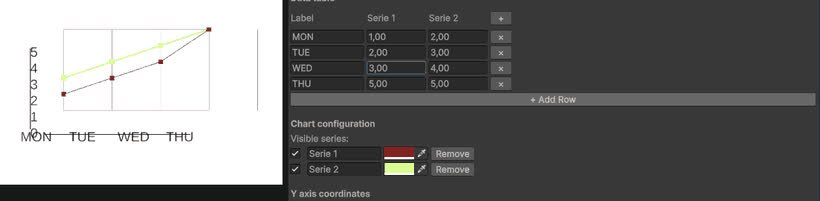
Line Chart System
Configurable line chart component for plotting values over time or categories.
Completed
Text Updater System
TextUpdaterSystem dynamically updates Unity UI text with TextMeshPro, reflecting real-time variable values from MonoBehaviour components.
Completed
TMP Line Balancer
Utility for enforcing hard line breaks and balanced lines in TextMeshPro text.
Completed
TMP CapsLock System
Components to force uppercase, lowercase or capitalized text in TextMeshPro fields.
Completed