 UGTKengine within an engine
UGTK / Toolkit / API / EmailSender Completed

Email Sender
Summary
The Email Sender sends an email from the game by posting the fields to a PHP endpoint that does the
actual SMTP work (PHPMailer ships in the module). Typical uses are a feedback form, a "send me my score"
button, a contact form in an advergame.
Unity cannot speak SMTP from a build — least of all from WebGL — which is why the sending happens server-side and the game only fills in a form.
⚠️ Do not ship the SMTP password in the build
senderPasswordis a serialized field: whatever you type in the prefab is written into the built game and can be read out of it by anyone. Keep the credentials on the server, inside the PHP script, and leave the field empty in Unity. Treat this component as "ask the server to send a mail", not as a mail client.
Content
Modules Dependencies
- Php Connection System:
Mn_PhpMailSenderderives fromMn_PhpOperationBase, which supplies the request, the loading state, the retry loop and the endpoint resolution. - Copy Paste System: the attachment path and signature URL fields carry
[CopyPaste], so long paths can be pasted straight into the inspector.
Setup
1. Add the PhpApiManager and PhpMailSender prefabs to the scene:
2. Configure the PhpApiManager with the base URL of your server:

3. Configure the PhpMailSender — recipient, subject, body, and the optional attachment and signature:
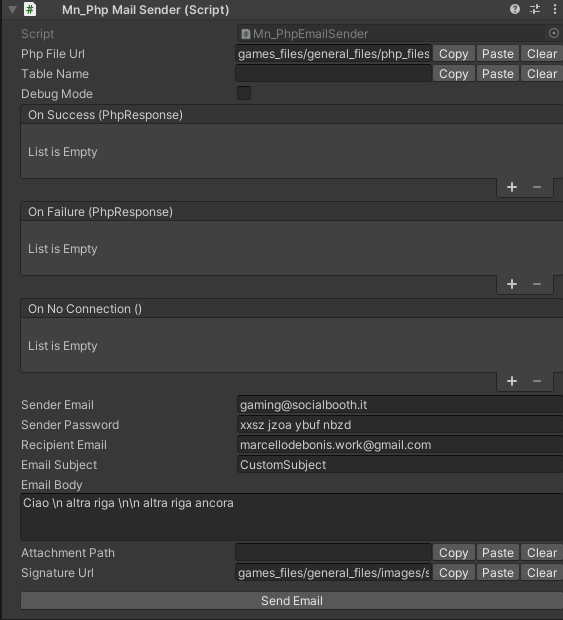
4. Upload the PHP side. Php/send_email/ contains the endpoint and the bundled PHPMailer: it has to
be deployed on the server the manager points at. Nothing works until that is in place.
How To Use
Fill the fields from your UI, then send:

mailSender.SetRecipientEmail(inputEmail.text);
mailSender.SetEmailSubject("Feedback from the game");
mailSender.SetEmailBody(inputMessage.text);
mailSender.SendEmail();
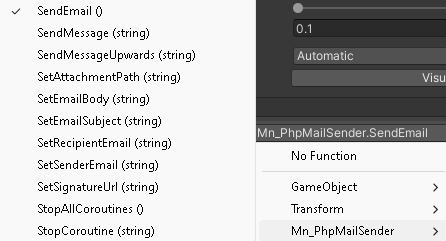
Every setter is a plain assignment, so it can be wired straight to an InputField's onValueChanged from
the inspector:
| Method | Sets |
|---|---|
SetSenderEmail(string) |
the sender address |
SetRecipientEmail(string) |
the recipient address |
SetEmailSubject(string) |
the subject |
SetEmailBody(string) |
the body |
SetAttachmentPath(string) |
path of the file to attach |
SetSignatureUrl(string) |
URL of the signature image |
SendEmail() |
performs the send — also available from the component's context menu |
Good to know:
- Missing fields throw, they do not warn.
BuildFormDataraises an exception when sender, password or recipient is empty, and the send never leaves. Validate the user's input before callingSendEmail. - The attachment is a path on the machine that is running the game, which means it does not exist on WebGL and is rarely reachable on mobile. It is really a desktop-only feature.
- The result arrives asynchronously through
Mn_PhpOperationBase: use its events for the "sent" and "failed" feedback, do not assume success right after the call. SendEmail()is a compatibility alias forExecute()of the base class. New code can call either.- Anyone who finds the endpoint can send mail through it. Add a token, a rate limit or a captcha on the PHP side, otherwise the address becomes an open relay for spam.
Testing Scene
Open MailSenderScene in the module's Debug/ folder.
What to do, in order:
- Fill recipient, subject and body, then press SendEmail().
- Send to an address that does not exist.
- Attach a file with SetAttachmentPath() and send again.
- Send with an empty recipient.
Step 2 is worth understanding: the server accepts the message and the failure arrives later, by bounce, so a "sent" result does not mean "delivered". Do not build a confirmation screen that claims otherwise.
Then do the test everybody skips: turn the network off and repeat. A request that never answers is the normal condition on mobile, and it is where a game most often ends up stuck on a spinner with no way back.
The recording is the Mail Data block taking its four values: the account the mail goes out from, its password, who receives it and the subject. They arrive empty, because they are yours.
The demo scene stops there deliberately and so does this page. Simple Mail and Php Mail in the scene send a real message the moment you press them - there is no dry run - so fill the fields with an account you own before you touch either.
On that password field. It is a serialised value: whatever you type sits in plain text inside the prefab, and travels with it into source control and into any build. This package shipped with a working Gmail app password in exactly this field until it was found and removed. Use an app password rather than the account's own, keep it out of prefabs that get committed, and prefer setting it at runtime from somewhere the repository never sees.
Technical Info
| Path | Content |
|---|---|
Scripts/Runtime/Mn_PhpEmailSender.cs |
Mn_PhpMailSender: the fields, the setters, SendEmail and the form built for the endpoint |
Scripts/Editor/Mn_PhpMailSender_Editor.cs |
Custom inspector |
Php/send_email/ |
The PHP endpoint and the bundled PHPMailer, to deploy on the server |
Prefabs/PhpMailSender.prefab |
The ready-made component |
Debug/MailSenderScene.unity |
Test scene |
© 2026 Marcello De Bonis. All rights reserved
Depends on 3
Used by 2
Measured from the repository: code references (asmdef) plus prefab and asset GUIDs. Importing this module alone brings in 4 modules in total.
More in API.
all 8 →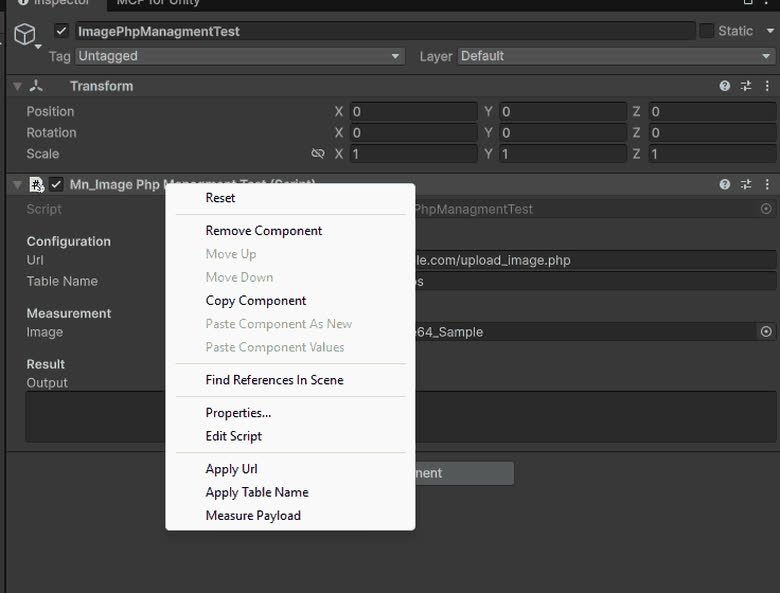
ImagePhpManagment
ImagePhpManagment is a system that allows you to upload images to a server.
Completed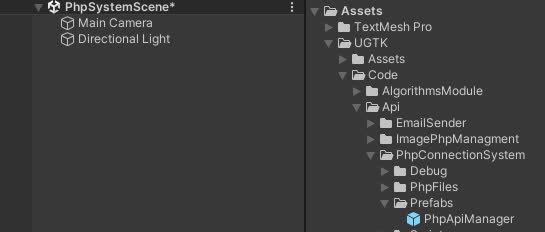
PhpConnectionSystem
PhpConnectionSystem is a system that allows you to connect to a server and send data.
Completed
Leaderboard Api System
Server-side leaderboard management for submitting and fetching ranked scores.
Completed
OAuth Email Api
Email sending system using OAuth-based authentication flows.
Completed