 UGTKengine within an engine
UGTK / Systems / Utility Systems / Desktop Window Controls Completed

Desktop Window Controls
Summary
A set of small components to control the application window and lifecycle: quit the app, toggle fullscreen, and minimize the window on Windows Standalone (via Win32 ShowWindow).
Content
Modules Dependencies
This module has no hard UGTK dependencies.
Setup
Drop the ThreeButtons prefab under a Canvas — quit, fullscreen and minimize already wired:
Add whichever component you need to a GameObject: Mn_Quit, Mn_ToggleFullScreen, or Mn_WindowsMinimizer. On Mn_WindowsMinimizer you can enable Allow In Editor (otherwise minimizing is skipped in the editor) and Verbose Logs for diagnostics. Then bind the relevant method to a UI Button's OnClick.
How To Use
Mn_Quit.QuitApp(): stops play mode in the editor, and callsApplication.Quit()in a build (mobile and desktop).Mn_ToggleFullScreen.ToggleFullscreen(): flipsScreen.fullScreen.Mn_WindowsMinimizer.Minimize(): minimizes the app window on Windows Standalone builds; it resolves the window handle (process main window, then active/foreground window) and callsShowWindow(hWnd, SW_MINIMIZE). On other platforms it logs a warning.
    quit.QuitApp();
    toggleFullScreen.ToggleFullscreen();
    windowsMinimizer.Minimize();
Good to know:
Application.Quit()does nothing in the editor — that is whyMn_Quitstops Play Mode instead. It is also a no-op on iOS by Apple's guidelines: never build a UI whose only way out is a Quit button on mobile.Minimize()is Windows Standalone only. Everywhere else it logs a warning and returns. It resolves the handle from the process main window and falls back to the foreground window: in the editor it is skipped unlessAllow In Editoris on — and with that on it minimizes the Unity editor itself.- Fullscreen is a toggle on
Screen.fullScreen, so it follows whatever the player did with Alt+Enter: read the property, do not keep your own boolean.
Testing Scene
Open WindowsDeviceManagentScene in the module's Debug/ folder.
What to do, in order:
- Toggle fullscreen from the inspector and read the reported mode.
- Press minimise — the editor window really does go to the taskbar.
- Build a player and repeat both.
Step 3 is the honest one. In the editor the Game view does not truly go fullscreen, so the value
changes while the picture does not. Quit deliberately has no button: Application.Quit does
nothing in the editor, is ignored by browsers on WebGL, and is grounds for rejection on iOS.
The demo scene is one corner of a window: minimise, restore and close, wired to the module. The recording is those three buttons and nothing more, on purpose - they act on the real window, and in the editor the real window is the editor. Minimise sends Unity itself to the taskbar, and close is exactly what it says it is.
So try them from a built player, as step 3 says, and keep them out of reach while you are editing.
Technical Info
- Mn_Quit: MonoBehaviour exposing
QuitApp(), which quits the build or stops play mode in the editor (platform-guarded). - Mn_ToggleFullScreen: MonoBehaviour whose
ToggleFullscreen()togglesScreen.fullScreen. - Mn_WindowsMinimizer: Windows-Standalone MonoBehaviour that minimizes the game window through Win32 P/Invoke (
ShowWindow), with editor-skip and verbose-logging options.
© 2026 Marcello De Bonis. All rights reserved
More in Utility Systems.
all 34 →
Video View System
Plays local or remote video on a UI RawImage, with a WebGL prefetcher that caches the file in the browser's Cache Storage.
Completed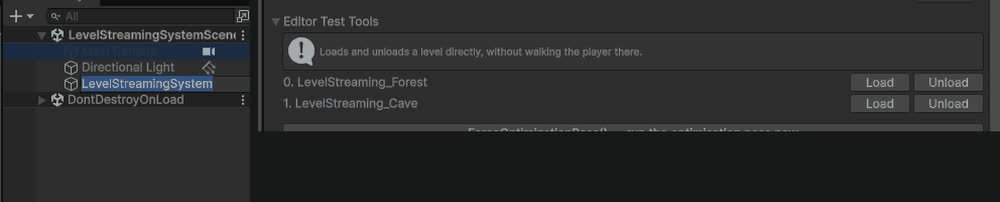
Level Streaming System
Additive async scene load/unload with events on every stage, plus a distance/visibility optimization pass on a list of target objects.
Completed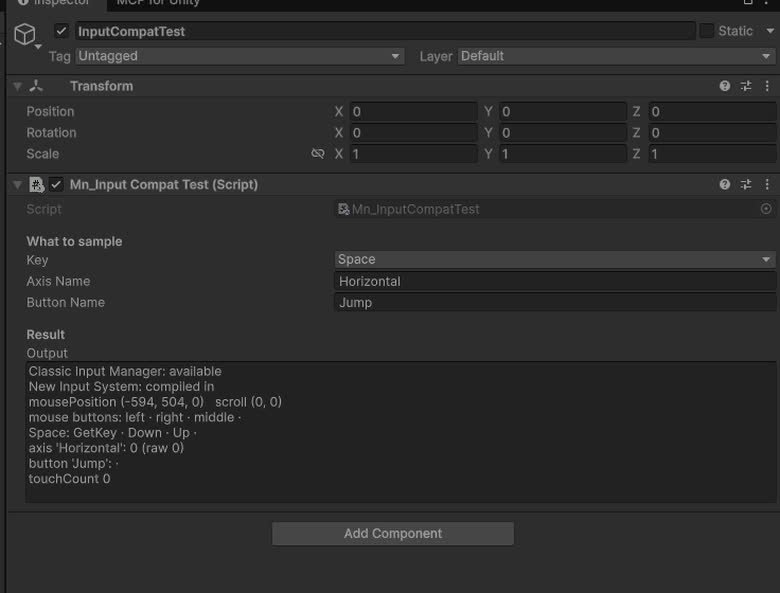
Input Compatibility
`UGTKInput`: drop-in replacement for `UnityEngine.Input` that works with the legacy Input Manager and the new Input System alike.
Completed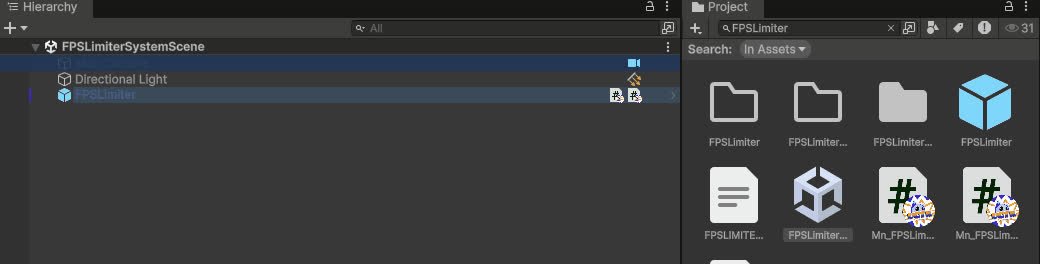
FPS Limiter System
Caps the frame rate from a component: target FPS, VSync and physics tick rate handled together.
Completed