 UGTKengine within an engine
UGTK / Systems / Utility Systems / Image Picker Completed

Image Picker Module
Summary
The Image Picker module provides a simple way to select images from WebGL builds.
Content
Modules Dependencies
None. The module has no UGTK dependency.
Setup
There is nothing to install: the module ships the file browser and the WebGL picker together.
- On desktop, call
StandaloneFileBrowser.OpenFilePanel(or itsAsynctwin) from your own script. There is no component to add — it is a static API, and the right platform implementation is selected for you at compile time. - On WebGL, add
ImageWebglPickerto a GameObject and callAskForImage. The browser's own file dialog opens, because a web page cannot open a native one.
The two paths exist because they are genuinely different: the desktop dialog returns a path, the browser returns the file contents. Code that assumes a path will not survive a WebGL build.
How To Use
To use the Image Picker module, you need to follow the steps below:
ImageWebglPicker imageWebglPicker = GetComponent<ImageWebglPicker>();

imageWebglPicker.AskForImage((texture) =>

{

    // Do something with the texture

});
Testing Scene
It does have one, in fact two: BasicSampleScene and CanvasSampleScene, under
Picker/Sample/. They work in the editor - the picker falls back to the operating system's own
file dialog when it is not running in a browser - so most of the module can be tried without a
WebGL build at all.
The recording is Open File - Text in CanvasSampleScene: press it, the system dialog opens,
and the contents of whatever you choose arrive in the scene. Open File - Image does the same
with bytes, which the sample prints raw - so the label filling with ‹PNG and binary noise is the
sample being blunt, not the picker failing.
What genuinely needs a build is the browser side: the picker there is an <input type="file">
that the page must open from inside a user gesture, and a file chosen on a phone arrives with a
different orientation than the same file on a desktop. Both belong to the steps below.
Technical Info
The Image Picker module uses the ImageWebglPicker class to ask for images from WebGL builds.
ImageWebglPicker has the following methods:
-
AskForImage: Asks for an image from the user and provide a callback to receive the image texture. -
ReceiveImage: Receives the image texture base64 from javascript and converts it to a texture and call the callback received inAskForImage.
© 2026 Marcello De Bonis. All rights reserved
More in Utility Systems.
all 34 →
Graph System
Generic graph data-structure with nodes, edges, traversal (BFS/DFS) and pathfinding algorithms like Dijkstra and A*.
Completed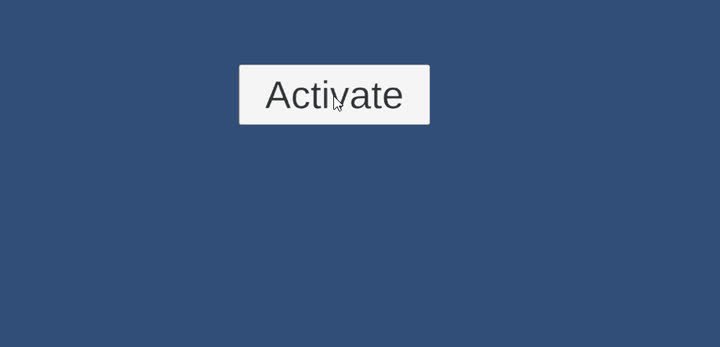
VFX System
Pooling-based VFX spawner that plays particle and VFX Graph effects once, looping or at intervals, with auto-return and editor-friendly events.
Completed
UGTK Instantiator
Editor utility that adds ready-to-use UGTK prefabs to the scene via the `GameObject/UGTK` menu for fast system and component setup.
Completed
Counter System
Generic counting utility for timers, scores or any incremental values with events on thresholds.
Completed