 UGTKengine within an engine
UGTK / Systems / Utility Systems / GameObject Editor System Completed

GameObject Editor System
Summary
Marks a GameObject as editor-only: Mn_GameObjectEditor leaves the object visible while you work
in the Unity Editor and switches it off by itself in a built player. It is for the props you want on
screen while designing and gone when shipping — layout guides, reference images, gizmo helpers, notes
placed in the scene.
Content
Modules Dependencies
None. One MonoBehaviour with no field and no reference.
Setup
Nothing to show in a GIF: there is no prefab, no scene, no inspector field. Add Mn_GameObjectEditor to any GameObject that must exist only while editing, and leave that object active in the scene.
How To Use
There is no API and nothing to configure — the whole behaviour is one #if !UNITY_EDITOR branch in
Update that calls SetActive(false) on its own GameObject. In the editor the branch is compiled
out and the object stays as you left it.
Two things worth knowing before relying on it:
- The object is hidden, not stripped. It is still in the scene, it is still in the build, and its
meshes, textures and materials are still shipped. This component is a visibility switch, not a
build-size optimisation: to actually keep assets out of the build, delete the object or use
EditorOnlyas its tag, which Unity strips when building. - It disables itself on the first
Update, not onAwake. In a player the object therefore exists — and renders — for the first frame. For anything that must never be seen, move the call toAwakeor set the object inactive in the scene and never enable it in a build.
For an object that has to disappear from the build entirely, Unity's own EditorOnly tag is the
better tool; this component is the right one when you want the object present at runtime (so
references to it keep resolving) but off.
Testing Scene
Open Debug/GameObjectEditorScene.unity. Two objects sit in front of the camera: a cube that
belongs to the game, and a quad called Reference Image (editor only) carrying
Mn_GameObjectEditor. The component has no runtime controls — everything is in its inspector's
Editor Test Tools.
- Preview: hide it as the build would — the quad disappears from the Game view while the cube
stays. That is exactly what a build does:
Awakedeactivates the object before the first frame is drawn, so it is never rendered even once. - Restore visibility puts it back for editing.
The inspector also prints what the object still costs, and the warning that goes with it: the object is disabled, not stripped. Its meshes, textures and materials are still shipped inside the build. This is the right tool for guides, alignment references and debug helpers you want to see while working; it is the wrong tool for keeping placeholder art out of the package, which needs the assets genuinely excluded.
Technical Info
| Path | Content |
|---|---|
Scripts/Mn_GameObjectEditor.cs |
The whole system: Update with the #if !UNITY_EDITOR branch that deactivates its own GameObject |
No public API, no serialized field.
© 2026 Marcello De Bonis. All rights reserved
More in Utility Systems.
all 34 →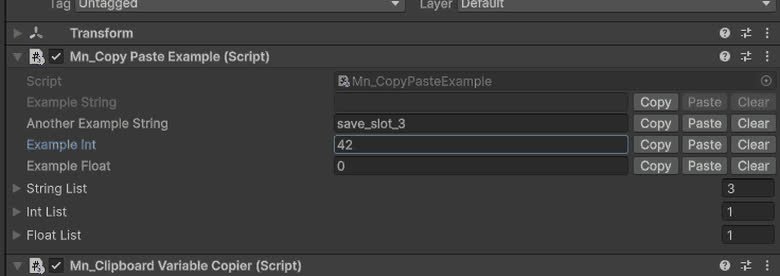
Copy Paste System
The Copy Paste System enhances Unity's Inspector with Copy, Paste, and Clear buttons for efficient string manipulation.
Completed
Image Picker
Component that allow in a WebGL build to get an image from user computer
Completed
Time Online System
TimeOnlineSystem is a system that allows you to get the time from a server.
Completed
Timing System
Configurable timer counting up, down or unlimited, with time components, threshold and interval events and ready-made UI prefabs.
Completed