UGTKengine within an engine
UGTK / Systems / Design Patterns / State Machine Completed

State Machine
Summary
The State Machine is a system for managing and transitioning between different states in a game. It allows for the definition of states and the conditions under which transitions occur, providing advanced control over state changes and associated events.
Content
Modules Dependencies
The State Machine module requires the following dependencies:
- EventSystem: Manages events for state transitions.
Ensure that these dependencies are correctly imported and configured in your project.
Carried inside the prefabs. These modules are not referenced by the assembly definition - the components are simply already attached to the prefabs this module ships. Remove one of them from the project and the prefab keeps its layout and loses that behaviour, with nothing in the console to say so.
| Module | Component, and the prefab carrying it |
|---|---|
UtilitySystems/PoolingSystem |
Mn_Pooler (in StateMachineController) |
Setup
To set up the State Machine, follow these steps:
- Add
State Machine Controllerprefab to your scene:
States
- Add
Stateprefab as child ofState Machine:
- Add Functs to the state
- Decide the condition for entering in an other state
StateMachine
- Set
Starting State
- Add Functs to
State Changed:
How To Use
To use the State Machine, you will need code for changing state. You can use the call of an event, or by forcing the change state
- Initialize State Machine adding the reference of the controller the state machine change the states:
    var obj;
    stateMachine.Initialize(obj);
- Change State by Event:
stateMachine.InvokeStateEvent("MyEventName");
- Change State by forcing the trigger:
    Mn_State myState;
    stateMachine.ChangeState(myState);
- Get CurrentState
Mn_State myState = stateMachine.GetCurrentState();
- Get Obj
var myObj = stateMachine.GetObj();
Testing Scene
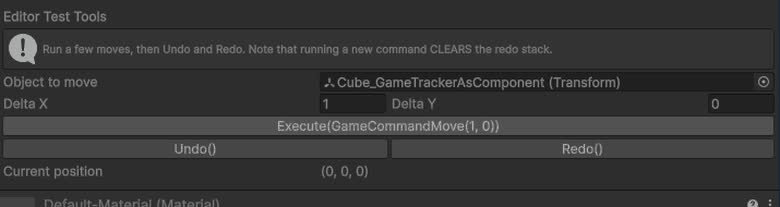
Open StateMachineScene in the module's folder and select StateMachineController > StateMachine.
The Editor Test Tools block needs Play mode: the current state is a runtime thing, and outside
Play the block says so instead of showing a stale name.
What to do, in order:
- Play and watch the machine move between states.
- Force a transition from the inspector into a state you have not reached yet.
- Send an event name that no condition listens for.
- Force the machine into the state it is already in.
Step 2 is what makes a late state testable without replaying everything that leads to it. Step 3 shows the silent case: an event with no matching condition does nothing at all, which is how a typo in an event name hides. Step 4 decides whether re-entering a state runs its enter callback again — worth knowing before an animation restarts unexpectedly.
Technical Info
The following are the main scripts and workflow of the Audio System. Refer to the UML section for the detailed structure.
Scripts:
- Mn_StateMachine: Manages states and transitions.
- Mn_State: Base class for a state.
- ChangeStateCondition: Represents a condition for changing the state.
© 2026 Marcello De Bonis. All rights reserved