UGTKengine within an engine
UGTK / Systems / Mobile / GestureSystem Completed

Gesture System
Summary
The Gesture System recognises taps, double taps, long presses, swipes in the four directions and
pinch in/out, and exposes each of them as UnityEvents you wire from the inspector.
Two managers implement the same set of events: one reads the mouse, the other reads touch. The game logic listens to the same events either way, so a build can be tested on the desktop and shipped on mobile without changing a single listener.
Content
Modules Dependencies
- Event System: optional. Assign a
Mn_ZeroParametersControllerand each gesture also raises a named event through it, so listeners can be wired by name instead of by reference.
Setup
Drop the manager that matches the platform: DesktopGestureManager for mouse, MobileGestureManager
for touch:
Tune the thresholds — how long a double click may take, how long a press must last to count as a long press, how many pixels make a swipe:
Optionally associate a Mn_ZeroParametersController, to route the gestures through the Event System
as well:
How To Use
Wire the events in the inspector, or subscribe from code on the instance you put in the scene — there is no singleton and no static accessor:
[SerializeField] private Mn_Abstract_GestureManager gestures;

void OnEnable()
{
    gestures.onTap.AddListener(OnTap);                 // Vector2: where
    gestures.onSwipingRight.AddListener(OnSwipeRight); // Vector2 start, Vector2 current
    gestures.onPinchingOut.AddListener(OnZoom);        // float: the delta
}
Good to know:
- Every gesture comes in three moments:
…Start, the continuous…ing…, and…End. UseStartto begin a preview, the continuous one to follow the finger,Endto commit. A swipe handled only onEndfeels unresponsive. - The two managers are not interchangeable at runtime. Pick the one for the platform (or swap the prefab per build); nothing detects the device for you.
- The thresholds decide the feel. Too low a
swipeThresholdturns every sloppy tap into a swipe; too high and short swipes are lost. - The press threshold gates the continuous event, not the start.
onPressingStartfires as soon as the button goes down;onPressingonly begins once the press has lastedpressThreshold. So "has this become a long press?" is answered by the firstonPressing, not byonPressingStart. Both managers behave this way — until 2026-07-30 the desktop one ignored the threshold entirely and reported every click as a hold. - Pinch needs two touches, so it never fires on the desktop manager.
- There is no filtering over the UI: a gesture is recognised even when it starts on a button. Check
EventSystem.current.IsPointerOverGameObject()in your handler if the UI must swallow it. - The coordinates are screen pixels. Convert with
ScreenToWorldPointbefore comparing them to anything in the world.
The Events
| Family | Events | Payload |
|---|---|---|
| Tap | onTap, onDoubleTap |
Vector2 position |
| Press | onPressingStart, onPressing, onPressingEnd |
Vector2 position |
| Swipe up | onSwipeUpStart, onSwipingUp, onSwipeUpEnd |
Vector2 start, Vector2 current |
| Swipe down | onSwipeDownStart, onSwipingDown, onSwipeDownEnd |
idem |
| Swipe left | onSwipeLeftStart, onSwipingLeft, onSwipeLeftEnd |
idem |
| Swipe right | onSwipeRightStart, onSwipingRight, onSwipeRightEnd |
idem |
| Pinch in | onPinchInStart, onPinchingIn, onPinchInEnd |
float delta |
| Pinch out | onPinchOutStart, onPinchingOut, onPinchOutEnd |
float delta |
Testing Scene
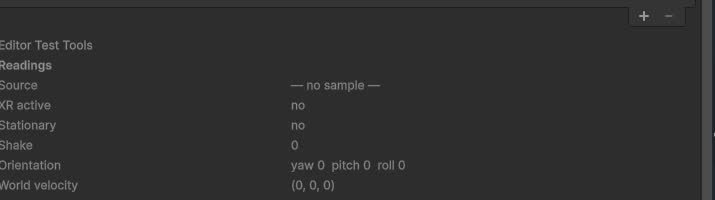
Open Scene/GestureSceneExample.unity and press Play: every recognised gesture is reported, so the
thresholds can be tuned while watching the result.
Technical Info
| Path | Content |
|---|---|
Scripts/Mn_Abstract_GestureManager.cs |
The base: the event types (TapEvent, DoubleTapEvent, PinchEvent, SwipeEvent, PressingEvent), the 21 events and the abstract InitializeGestureSystem |
Scripts/Mn_Desktop_GestureManager.cs |
Mouse recognition, with double-click, press and swipe thresholds |
Scripts/Mn_Mobile_GestureManager.cs |
Touch recognition, pinch included |
Prefabs/DesktopGestureManager.prefab, Prefabs/MobileGestureManager.prefab |
The two ready-made managers |
Scene/GestureSceneExample.unity |
Test scene |
© 2026 Marcello De Bonis. All rights reserved